The Week Looks Lighter When Fixed Plans Come First
Fixed commitments first makes a weekly plan easier to scan, revise and fit around city journeys, workdays, errands and genuine room to breathe.
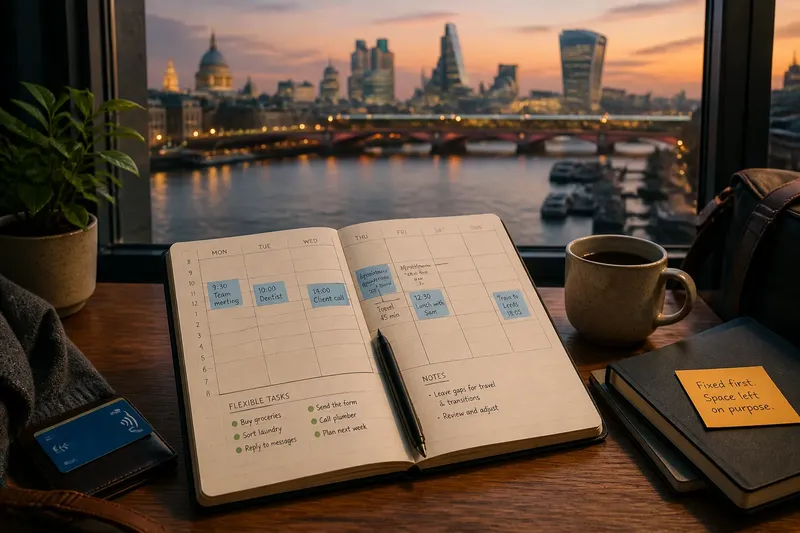
You open your calendar on Sunday evening and see a meeting, a dentist appointment, two errands and a reminder to sort out the laundry. The week looks packed, though some of those entries can move and some cannot. Put the fixed commitments first in your weekly plan, and the shape of the week becomes easier to read before you start moving things around.
The distinction is simple: fixed commitments have a time, place or consequence that makes them hard to shift; flexible tasks can be fitted around them. Treating both as equal calendar blocks makes a week look more rigid than it is. Separating them gives you a clearer view of the actual constraints and the room that remains.
1. What counts as fixed in a weekly plan?
Start with commitments whose timing is set by another person, a booking or an external deadline. A shift at work, a scheduled appointment, a meeting that requires your attendance and a train journey you have already booked are likely to belong in this group. So does a task that must happen at a particular time, such as collecting a parcel before a collection point closes.
“Fixed” does not mean sacred or impossible to change. It means that moving the item has a cost, requires coordination or depends on someone else’s availability. Mark the constraint rather than pretending it cannot ever shift. That leaves room for sensible changes without making every plan appear provisional.
Flexible tasks have more choice around timing. Replying to routine messages, buying groceries, washing clothes or arranging a non-urgent call may fit in several places. They still need time and attention; they simply do not own one particular slot yet.
2. Why put fixed commitments on the page first?
They define the week’s boundaries. If you enter flexible jobs first, you may fill the visible spaces before accounting for the meeting that runs across the afternoon or the journey that leaves little time for anything else. Starting with fixed plans prevents that common calendar trick: making a week look available because the inconvenient parts have not been entered.
Use one calendar or weekly view as the source of truth. Add the date, start time and location where those details matter. For city journeys, include the travel time you expect to need, using your normal route and current service information as a guide. The journey is part of the commitment, even if the calendar invitation begins at the destination.
Then mark flexible tasks in a separate list, a different colour or a distinct area of the same planner. The method matters less than being able to tell, at a glance, what has a firm place and what is still available for placement. Avoid relying on colour alone if your calendar is often viewed in monochrome or shared with someone who cannot distinguish those colours.
3. How do you make the difference visible?
Choose labels that describe the status of a plan, not how important you feel it ought to be. “Fixed” and “Flexible” are plain enough to work. In a digital calendar, separate calendars or a consistent category can do the job; on paper, use headings and keep the task list beside the timetable.
Keep flexible tasks out of precise time slots until you have decided when they fit. A list such as “buy groceries” or “send the form” is more honest than assigning both a neat block merely to make the calendar look complete. When you do give a task a time, you are making a plan, not recording an immovable appointment. Keep its flexible status visible.
For a useful weekly overview, include a small amount of context. “Office” may be enough if you work at one location every day; “office, then appointment across town” tells you more about what that afternoon can accommodate. Do not turn the calendar into a diary of every small action. It needs to help you make decisions, not preserve evidence that you were busy.
4. How do you revise the week without rebuilding it?
When a fixed commitment moves, change that entry first. Then look at the flexible tasks around it and decide which ones still fit, which need a new place and which can wait. This keeps the change contained. Without the distinction, a shifted meeting can make the entire plan feel broken, even though most of the week’s commitments have not changed.
Say you have a Tuesday appointment across town, a work meeting nearby and a grocery run on your flexible list. If the appointment is rescheduled to Thursday, move the appointment and reconsider the journey and the meeting’s location. Leave groceries unplaced until you can see whether Tuesday or Thursday now offers a more convenient opening. The observable result is a revised week where the changed commitment is clear and the flexible task remains available rather than being dragged along automatically.
Do not preserve a flexible task’s old slot simply because it is already written there. That slot may now be better used for travel, a meal or a pause between obligations. If a task has become time-sensitive, promote it to a firmer commitment and show why: a deadline, opening hours or another person’s availability may have changed its status.
5. How do you keep spare space useful?
An empty patch in the calendar is not proof that you have forgotten something. It can absorb a late finish, an unexpectedly slow journey or the ordinary transition between work and home. Leave some gaps where the week’s constraints make them useful, rather than treating every open slot as an invitation to add another job.
That does not mean protecting every gap as a grand declaration of downtime. A small opening may be just enough to pick up a prescription near the station or handle a task that cannot sensibly wait. The point is to choose that use deliberately after the fixed commitments are visible, not to fill the space in advance because blank areas look untidy.
What is not worth the effort is labelling every task with a finely graded priority or building a second system to score how fixed it is. If you cannot decide whether something belongs in one group, ask whether moving it would require a call, a change to a booking or a missed deadline. If not, it is probably flexible enough to keep on the list.
Which plans should move when the week changes?
Should travel time count as a fixed commitment?
Include travel when it limits when you can leave, arrive or take on another task. The route itself may be flexible, but the time needed to get between two places is part of the day’s practical shape.
Is a deadline fixed or flexible?
The deadline is fixed; the work leading up to it may have flexible timing. Record the due date clearly, then place the task in a realistic open period rather than treating the entire week as unavailable.
What if a flexible task keeps being postponed?
Give it a decision point: choose a suitable slot, reduce its scope or remove it if it no longer matters. Rewriting the same task every week without changing its status is calendar decoration, not planning.
Should I schedule every open period?
No. Leave useful gaps unassigned, especially around long journeys or commitments that may run late. A weekly view should show where you have room, not demand that you fill it.
What should you check before the week begins?
Scan the overview once with the fixed commitments in mind. Check that appointments and meetings have their correct times and places, that journeys have not been omitted, and that deadlines are visible. Then look at the flexible list and choose only the tasks that genuinely fit the available spaces.
- Confirm the fixed entries. Check bookings, work shifts and meeting times against the information you received.
- Add location and travel context. Include what you need to judge whether two plans can sensibly sit on the same day.
- Separate unplaced tasks. Keep errands and routine jobs distinct from appointments until you choose a slot.
- Notice crowded transitions. If one commitment ends where another begins, decide whether the journey or changeover makes that arrangement realistic.
- Leave useful gaps open. Do not assign every spare period merely to make the overview look finished.
- Choose what can wait. If the flexible list is longer than the available room, defer or remove tasks rather than pretending the calendar can stretch.
Fixed commitments first makes a weekly plan easier to scan because it shows the week’s real boundaries before the optional work begins to compete for space. It also makes revisions less dramatic: move what has changed, then reconsider only the flexible tasks affected by it. Keep the distinction clear, and your calendar can be both accurate and open to adjustment, which is a more useful combination than a page packed to the edges.